Automated reports, sent without you lifting a finger
Set a schedule once per client, choose the cadence, the period it covers and who receives it, and Clocksy builds and emails a client-ready report every time, with no reminder needed.
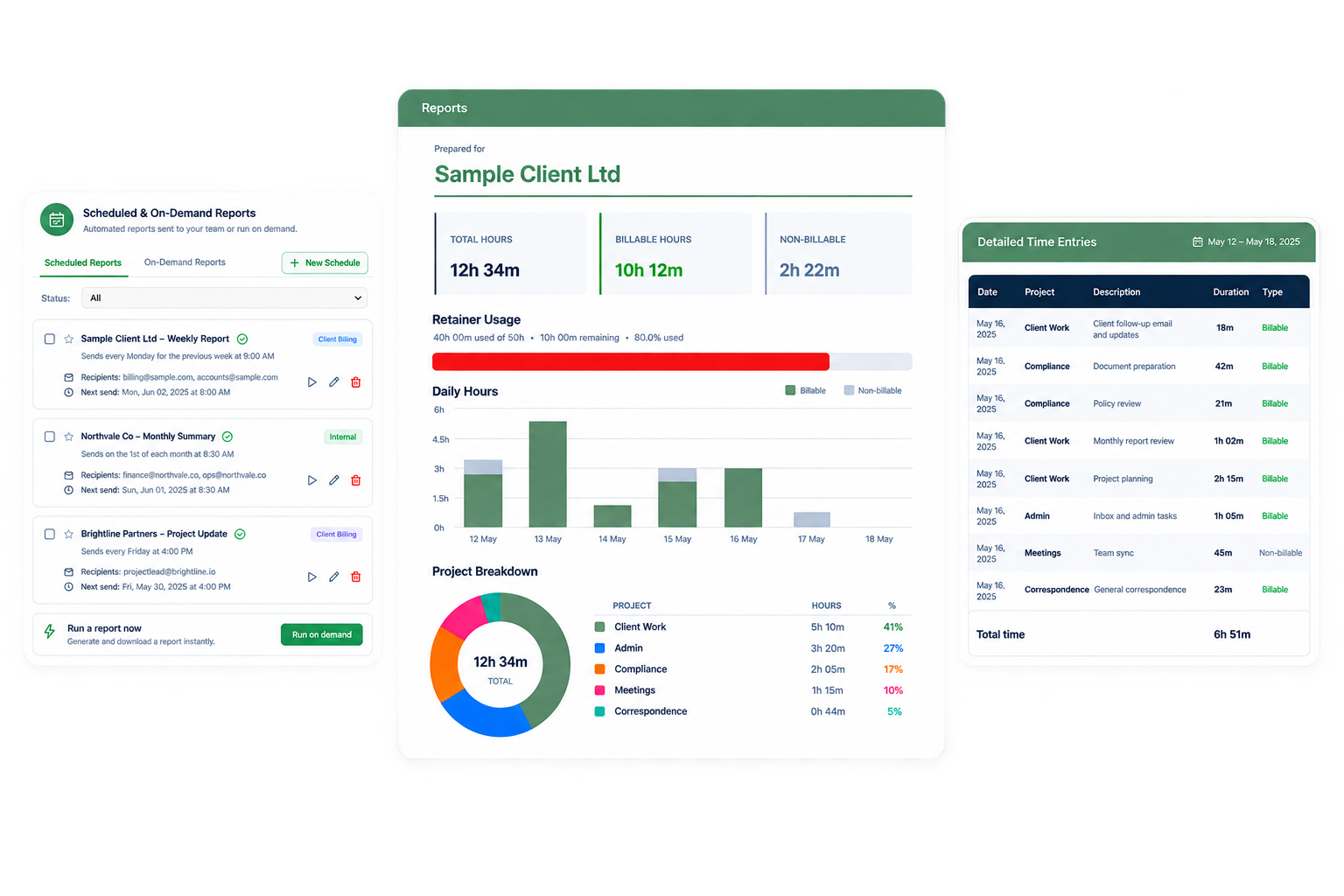
Automated Reports in four steps
Choose the purpose
Client billing, payroll, or internal tracking, so the report is built for the right audience. Star the ones that matter most.
Set the schedule
Daily, weekly, bi-weekly, twice monthly, monthly on the 1st, the last calendar day, or the last working day, or manual and on-demand only. Pick the day and send time.
Pick the period it covers
Last or this week, last or this month, month to date, a previous pay period, or a rolling 7, 14 or 30 days.
Add recipients and notes
A client, a recipient email and any CC addresses, whether to show team member names, and an optional note included in every send.
What you get with automated reports
The period is never ambiguous
Calendar weeks and months, rolling day counts, or a pay period built for bi-weekly and twice-monthly schedules, so what's "this month" is never left to guesswork.
CC whoever needs to see it
Send to the client and CC your own team or theirs in the same schedule, with a custom note included in every email if you want one.
Nothing depends on remembering
Once a schedule is set, reports go out on time on their own, even on your busiest weeks, or stay manual and on-demand if that suits the client better.